






















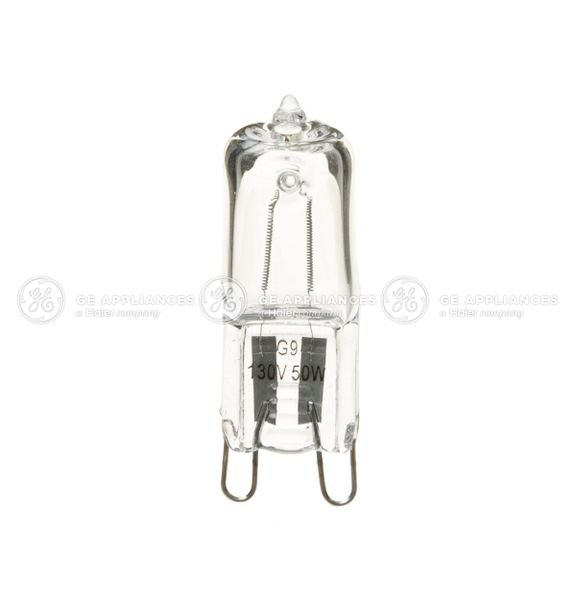
GE RANGE HALOGEN BULB KIT – WB49X29679
$63.14
- Genuine OEM Quality: These parts are manufactured by the same company that made your appliance, ensuring compatibility and performance.
- Perfect Fit: OEM parts are designed to fit your specific appliance model perfectly, reducing the need for modifications or adjustments.
- Optimal Performance: OEM parts deliver the same level of performance and efficiency as the original components, maintaining your appliance’s functionality.
Available on backorder
This is a genuine OEM part that works for some models of GE, and Hotpoint models. Replacing the GE Range/Wall Oven Halogen Light Bulb for WB08T10021 – DIY Instructions
1. Begin by shutting off the power to the oven. This can be done by unplugging the power cord, flipping the relevant breaker switch in your circuit breaker panel, or by turning off the relevant circuit at the fuse box.
2. Once the power is shut off, locate the oven light, which will be inside the cooking compartment.
3. Unscrew the cover that houses the lightbulb and remove it gently.
4. Carefully unscrew the existing light bulb and replace it with a new one that has the same specs (WB08T10021, 50 Watt, 130 Volt).
5. Replace the cover, and make sure it is securely fastened.
6. Finally, turn the power back on and check that the new light bulb is working properly.
Please keep in mind, these instructions are for general guidance and should always be used in conjunction with the manufacturer’s manual, if available. Search J2C968BEK1BB J2C968BEK3BB J2C968CEK1CC J2C968CEK3CC J2C968SEK1SS J2C968SEK2SS J2C968SEK3SS J2C968WEK1WW J2C968WEK3WW J2S968BEK1BB J2S968BEK2BB J2S968BEK3BB J2S968BH4BB J2S968BH5BB J2S968BH6BB J2S968KEK1CC J2S968KEK2CC J2S968KEK3CC J2S968KH4CC J2S968KH5CC J2S968KH6CC J2S968SEK1SS J2S968SEK2SS J2S968SEK3SS J2S968SH4SS J2S968SH5SS J2S968SH6SS J2S968TEK1WW J2S968TEK2WW J2S968TEK3WW J2S968TH4WW J2S968TH5WW J2S968TH6WW JCKP20BF1BB JCKP20WF1WW JCKP30BM1BB JCKP30BM2BB JCKP30BM3BB JCKP30DP1BB JCKP30DP1WW 1 2 3 4 5
Only logged in customers who have purchased this product may leave a review.
Related products


Reviews
There are no reviews yet.