























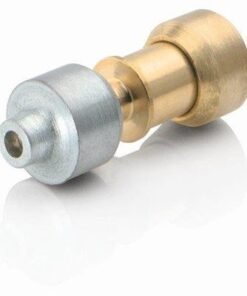
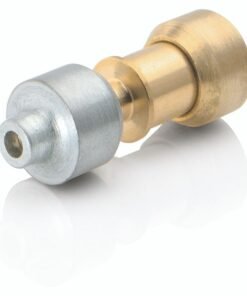
LG REFRIGERATOR BUTTON ASSEMBLY – ABH74219603
$49.03
- Genuine OEM Quality: These parts are manufactured by the same company that made your appliance, ensuring compatibility and performance.
- Perfect Fit: OEM parts are designed to fit your specific appliance model perfectly, reducing the need for modifications or adjustments.
- Optimal Performance: OEM parts deliver the same level of performance and efficiency as the original components, maintaining your appliance’s functionality.
Available on backorder
Button assembly for some models of LG fridges. DIY Steps to Replace the ABH74219603 LG Refrigerator Button Assembly
1. Unplug the refrigerator and make sure it is not plugged in.
2. Locate the button assembly you need to replace. It should be located beneath the upper left corner of the control panel.
3. Before you can begin, you’ll need to remove the existing control panel cover. To do this, simply pull up on both ends of the cover until it comes free from the refrigerator body.
4. Once the cover is removed, locate the defective button assembly. It should be clearly visible. If you can’t locate it, check your user manual for a diagram.
5. Disconnect the wires from the defective button assembly. Unclip each of the wires individually and tuck them away from any moving parts.
6. Remove the defective button assembly by pulling it away from the refrigerator body.
7. Once the defective part is removed, insert the new ABH74219603 LG Refrigerator Button Assembly in its place.
8. Reattach the wires to the new button assembly. Make sure each of the wires is connected securely in their respective terminals.
9. Place the control panel cover back in its original position. Make sure it fits firmly against the refrigerator body.
10. Plug the refrigerator back in and test the button assembly.
Congratulations! You’ve successfully replaced the ABH74219603 LG Refrigerator Button Assembly.
Please keep in mind, these instructions are for general guidance and should always be used in conjunction with the manufacturer’s manual, if available. Search LSFD2491ST LFX32945ST LFXC24726D LFXC24796S LMX30995ST LMXC23746D LMXS30756S LMXS30776D LMXS30786S LMXS30796S LMXC23796S LMXS30746S LFXS30726S LFXS30766D LFXS30786S LFXS30796S LFXS32726S LFXS32766S
Only logged in customers who have purchased this product may leave a review.





Reviews
There are no reviews yet.