























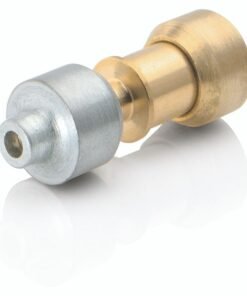
SAMSUNG REFRIGERATOR TEMPERATURE SENSOR – DA32-10105X
$22.57
- Genuine OEM Quality: These parts are manufactured by the same company that made your appliance, ensuring compatibility and performance.
- Perfect Fit: OEM parts are designed to fit your specific appliance model perfectly, reducing the need for modifications or adjustments.
- Optimal Performance: OEM parts deliver the same level of performance and efficiency as the original components, maintaining your appliance’s functionality.
Available on backorder
Samsung Sears Kenmore Refrigerator Temperature Sensor DA32-10105X Replacing the DA32-10105X Samsung Refrigerator Temperature Sensor
1. Unplug the refrigerator from the power outlet and remove all food and items from the freezer.
2. Locate the temperature sensor. It is typically located near the back wall of the refrigerator and has two wires attached to it.
3. Make a note of which wire is connected to which terminal on the sensor.
4. Unscrew the two screws that secure the old sensor in place.
5. Carefully remove the old sensor, being sure to keep track of all parts.
6. Clean any debris or dirt around the sensor opening with a damp cloth.
7. Insert the new sensor and make sure it’s secure.
8. Secure the new sensor in place with the two screws.
9. Reattach the wires to the terminals. Make sure they are securely fastened.
10. Plug the refrigerator back into the power outlet and test the temperature to ensure it’s accurate.
Please keep in mind, these instructions are for general guidance and should always be used in conjunction with the manufacturer’s manual, if available. No more associated models for this part.
Only logged in customers who have purchased this product may leave a review.





Reviews
There are no reviews yet.