






















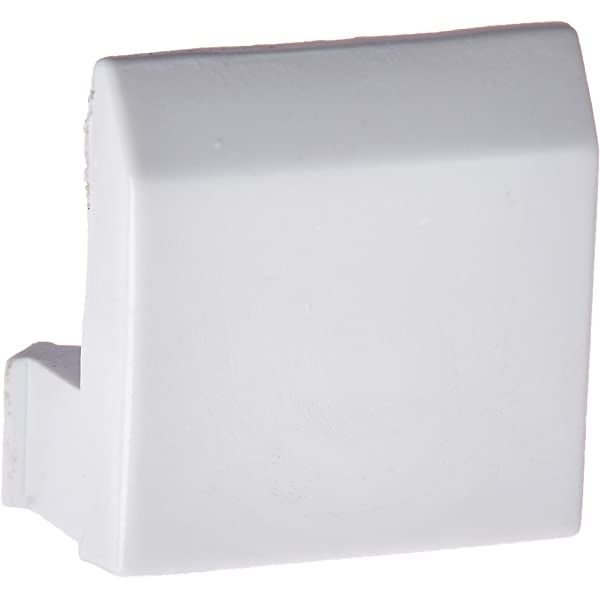
SAMSUNG REFRIGERATOR VEGETABLE COVER FIXER – DA61-04809A
$15.00
- Genuine OEM Quality: These parts are manufactured by the same company that made your appliance, ensuring compatibility and performance.
- Perfect Fit: OEM parts are designed to fit your specific appliance model perfectly, reducing the need for modifications or adjustments.
- Optimal Performance: OEM parts deliver the same level of performance and efficiency as the original components, maintaining your appliance’s functionality.
Available on backorder
Vegetable Cover Fixer works with some models of Samsung Refrigerators 1. Start by unplugging your Samsung refrigerator from the power source.
2. Carefully remove drawers and shelves in order to gain access to the vegetable cover fixer.
3. Use a Phillips head screwdriver to loosen and remove the screws that secure the vegetable cover fixer to the back of the refrigerator.
4. Lift the vegetable cover fixer out of the refrigerator and set it aside.
5. Line up the new vegetable cover fixer with the existing holes in the refrigerator.
6. Secure the new vegetable cover fixer with screws.
7. Replace the drawers and shelves.
8. Plug the refrigerator back into the power source.
9. Adjust the vegetable cover fixer if necessary.
10. Enjoy your newly replaced vegetable cover fixer!
Please keep in mind, these instructions are for general guidance and should always be used in conjunction with the manufacturer’s manual, if available. Search RF267AEBP-XAA-00 RF26J7500BC-AA-00 RF26HFENDSR-AA-03 RF26HFENDSR-AA-02 RF26HFENDSR-AA-01 RF26HFENDSR-AA-00 RF26HFENDBC-AA-01 RF26HFENDBC-AA-00 RF267AEPN-XAA-01 RF267AEPN-XAA-00 RF26J7500BC-AA-01 RF267ABRS-XAA-00 RF267ABPN-XAA-00 RF267ABBP-XAA-00 RF267AAWP-XAA-00 RF267AARS-XAA-00 RF267AABP-XAA-00 RF266AEWP/XAA-00 RF266AEPN-XAA-01 RF27T5201WW/AA RF28T5101SR/AA RF28T5101SG/AA RF28T5021SR/AA RF28T5021SG/AA RF28T5001WW/AA RF28T5001SR/AA RF28T5001SG/AA RF27T5241SR/AA RF27T5241SG/AA RF266AEPN-XAA-00 RF27T5201SR/AA RF27T5201SG/AA RF263BEAESR/AA RF26VABWP-XAA-00 RF26VABPN-XAA-00 RF26VABBP-XAA-00 RF26J7500BC-AA-03 RF26J7500BC-AA-02 RF260BEAESR-AA-00 RF263BEAESP-AA-02 1 2
Only logged in customers who have purchased this product may leave a review.


Reviews
There are no reviews yet.