






















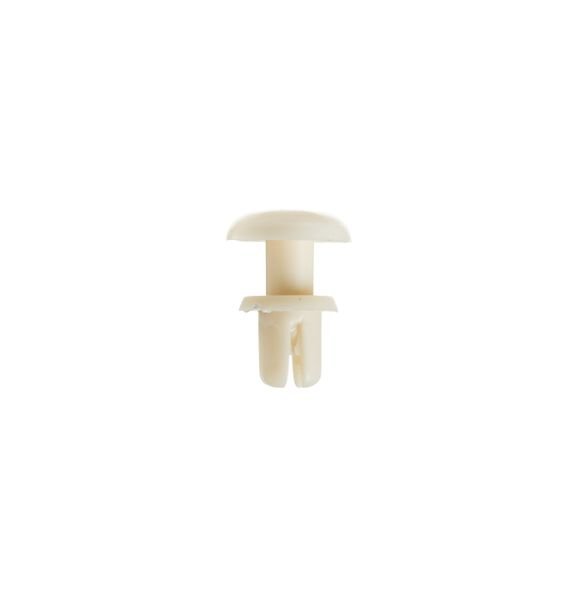
GE RIVET – WB03X27704
$15.00
- Genuine OEM Quality: These parts are manufactured by the same company that made your appliance, ensuring compatibility and performance.
- Perfect Fit: OEM parts are designed to fit your specific appliance model perfectly, reducing the need for modifications or adjustments.
- Optimal Performance: OEM parts deliver the same level of performance and efficiency as the original components, maintaining your appliance’s functionality.
Available on backorder
This GE WB03X27704 Button Locking is an excellent choice for quickly locking your oven. This simple button-activated locking feature can prevent unintended access to your oven or range, giving you peace of mind when children are in the house. The button lock is easy to install with minimal tools and is designed to fit most GE and Hotpoint ranges. The adjustable latch design ensures a snug fit and a secure lock, helping you keep your oven safe and sound. This reliable button-locking system provides an inexpensive way to help keep your range away from prying hands. We’re your #1 source for genuine OEM appliance parts. Contact us for further questions as well as any other appliance parts needs! 1. Unplug the range from the wall outlet.
2. Remove the screws around the top of the range’s control panel.
3. Carefully lift the control panel off the range.
4. Locate the existing button locking mechanism (GE WB03X27704) on the rear of the control panel.
5. Unscrew the screws securing the WB03X27704 Button Locking in place.
6. Carefully disconnect the wiring harness connected to the WB03X27704 Button Locking.
7. Install the new GE WB03X27704 Button Locking by connecting the wiring harness and carefully tightening the screws.
8. Replace the control panel onto the range and secure it with the screws previously removed.
9. Plug the range back into its wall outlet.
Please keep in mind, these instructions are for general guidance and should always be used in conjunction with the manufacturer’s manual, if available. No more associated models for this part.
Only logged in customers who have purchased this product may leave a review.
Related products

Reviews
There are no reviews yet.