






















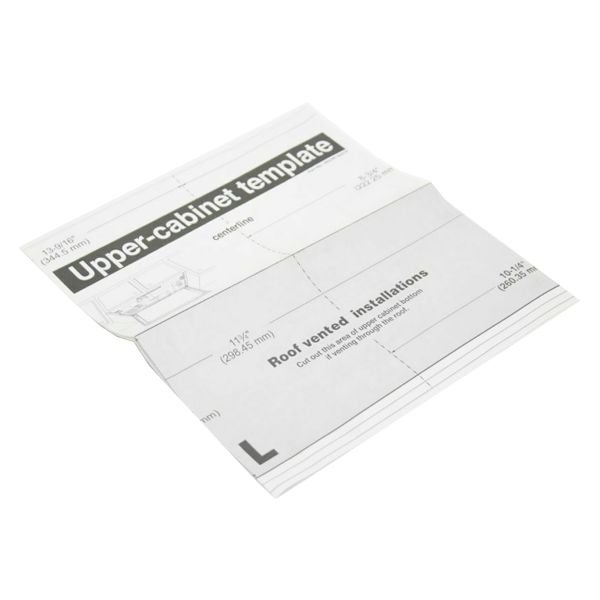
LG CARD TEMPLATE – 4922W5A057G
$15.00
- Genuine OEM Quality: These parts are manufactured by the same company that made your appliance, ensuring compatibility and performance.
- Perfect Fit: OEM parts are designed to fit your specific appliance model perfectly, reducing the need for modifications or adjustments.
- Optimal Performance: OEM parts deliver the same level of performance and efficiency as the original components, maintaining your appliance’s functionality.
Available on backorder
The LG 4922W5A057G CARD-TEMPLATE is an ultra-modern, versatile appliance that offers an array of features to make meal preparation and clean up easy and efficient. This card-templated device is equipped with a front-access LCD display and a library of pre-programmed functions to provide perfect results each time. With additional conveniences like controlled steaming, multiple cooking options, and DishSense technology, the LG 4922W5A057G CARD-TEMPLATE can handle a wide range of recipes with ease. Plus, its sleek black finish adds a modern aesthetic to any kitchen. Perfect for busy cooks who want delicious meals quickly, the LG 4922W5A057G CARD-TEMPLATE is an ideal companion for today’s kitchens. We’re your #1 source for genuine OEM appliance parts. Contact us for further questions as well as any other appliance parts needs! Step 1: Gather the Tools and Supplies
You will need a Phillips head screwdriver, a flat head screwdriver, and the new LG 4922W5A057G CARD-TEMPLATE.
Step 2: Unplug the Appliance
Before beginning any electrical work, it is important to make sure the electricity is turned off. Unplug the appliance from the wall outlet.
Step 3: Remove the Outer Cover
Using your Phillips head screwdriver, unscrew the screws on the outer covering of the appliance. Carefully remove the cover and set aside.
Step 4: Locating the Card
Find the old card-template and locate the two screws securing it to the back plate of the appliance. Use a flat head screwdriver to loosen the screws and remove the card.
Step 5: Insert New Card
Take your new LG 4922W5A057G CARD-TEMPLATE and align it with the back plate. Secure the card using the screws you removed earlier.
Step 6: Replace the Outer Cover
Replace the outer cover of the appliance. Make sure all of the screws are tight to avoid any future complications.
Step 7: Plug the Appliance Back In
Plug the appliance back in to the wall outlet. Once connected, test the appliance to ensure that the new card-template is working properly.
Please keep in mind, these instructions are for general guidance and should always be used in conjunction with the manufacturer’s manual, if available. Search LMV1831BD LMV2031BD
Only logged in customers who have purchased this product may leave a review.

Reviews
There are no reviews yet.